SPEEDfolder

Every job in one place.

DXF, photos, specs, schedule and sign-off. Shared by the field and the office. Included with every iCS50.

Book a demoSee how it works▶ Watch: export from the iCS50
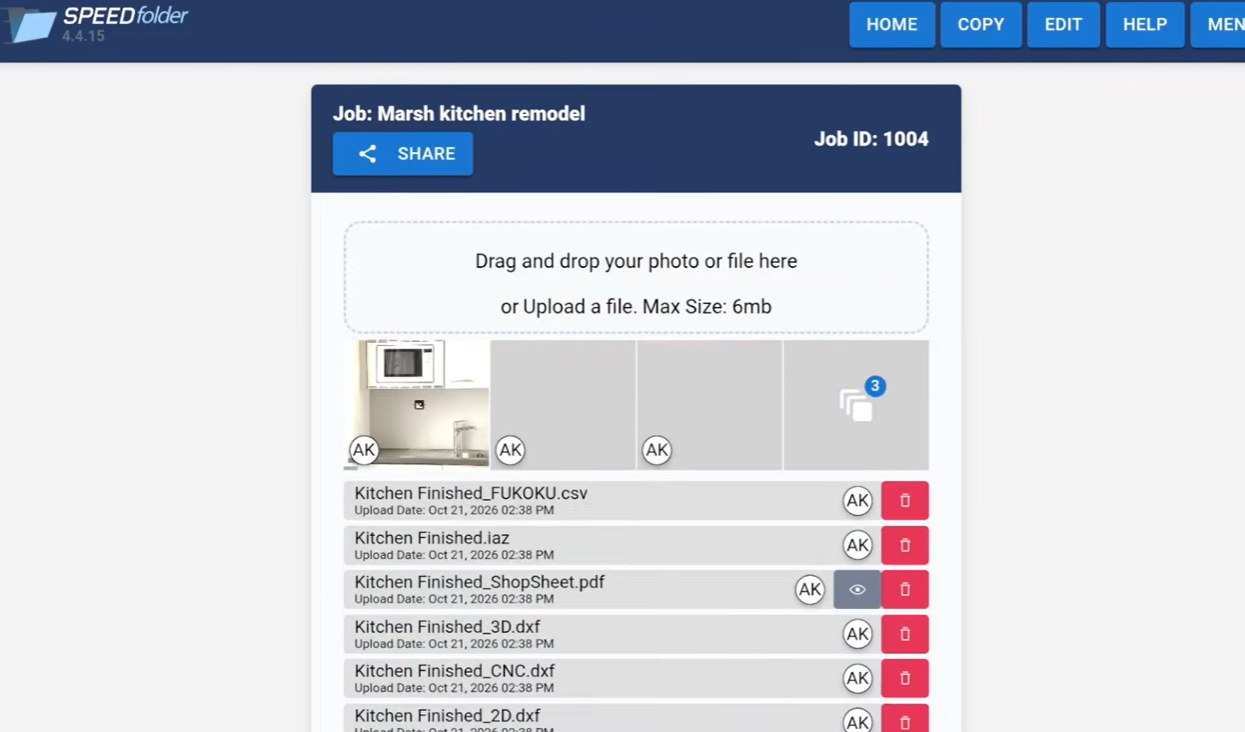
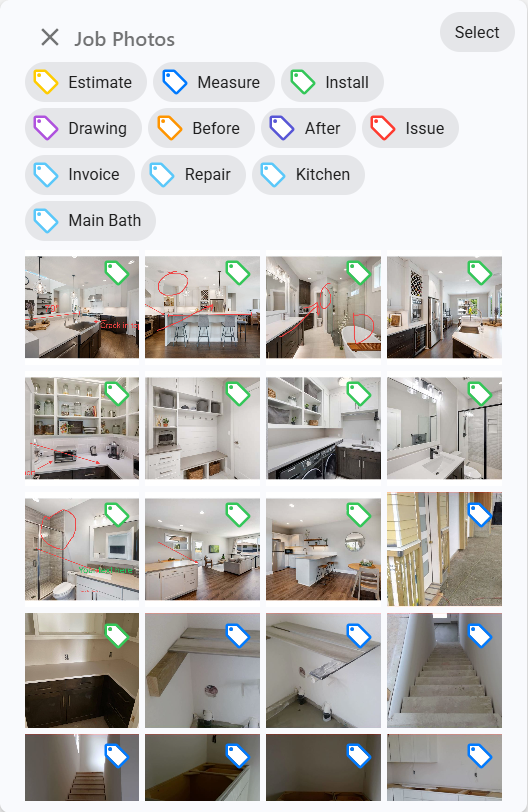
A job in SPEEDfolder with its photos and files Tagged job photos in SPEEDfolder
Free
Cloud storage and every user, no charge
No app
for the crew: a texted link opens in any browser
Live
The office sees photos as they're taken
Any trade
Countertops, cabinets, millwork, glass and marine

Files at the office before you leave the job.

Export in iCON trades, tap Share, pick SPEEDfolder. No emails. No thumb drives. No redrawing.
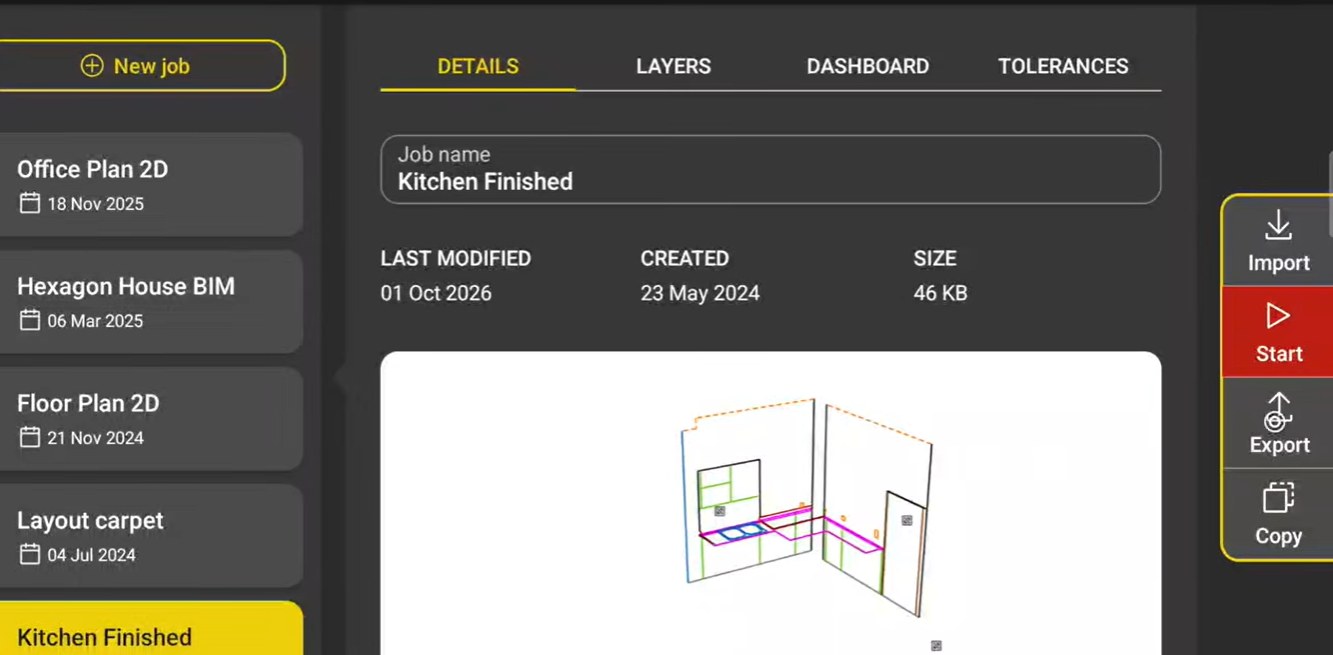
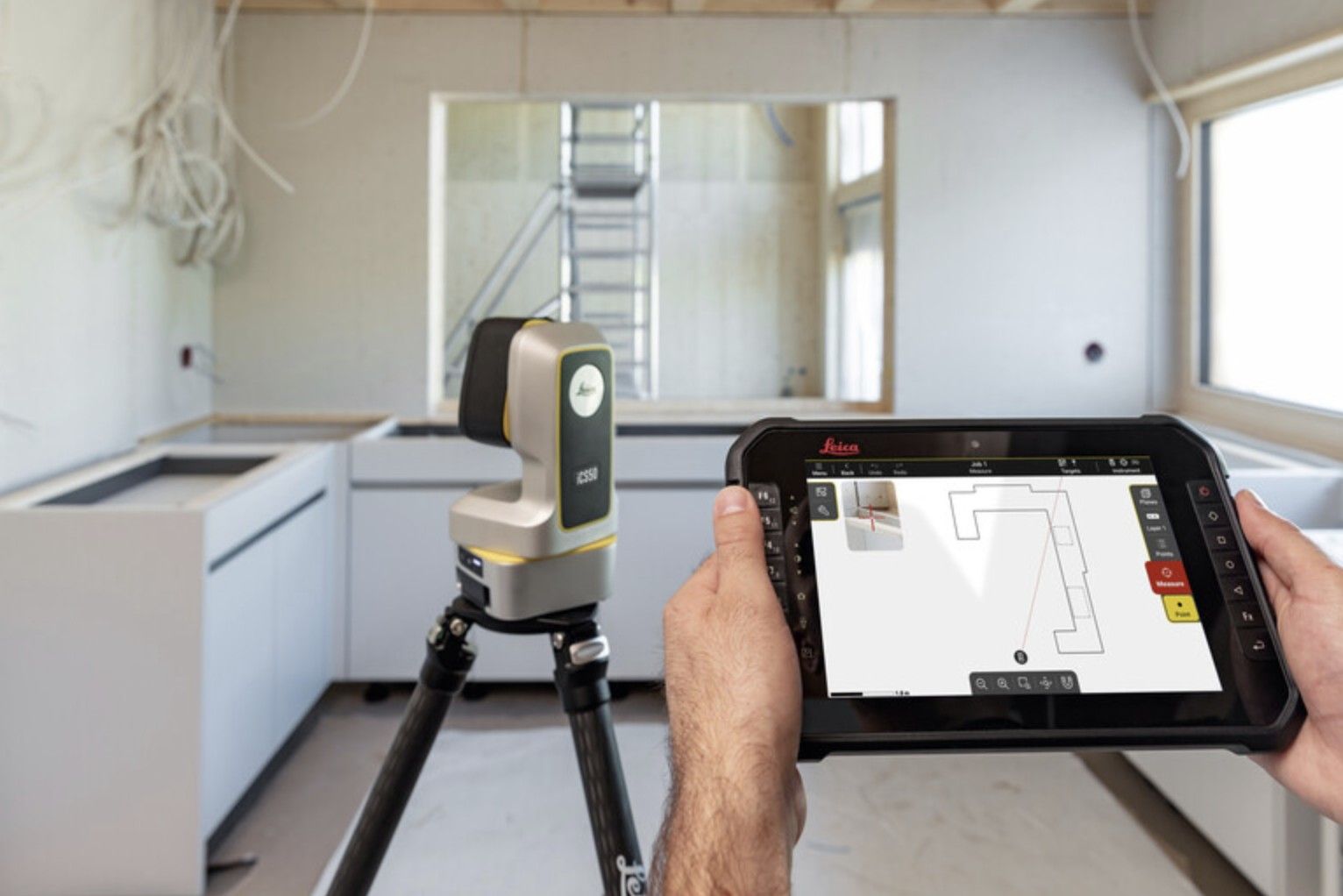
The job in iCON trades, with Export on the right
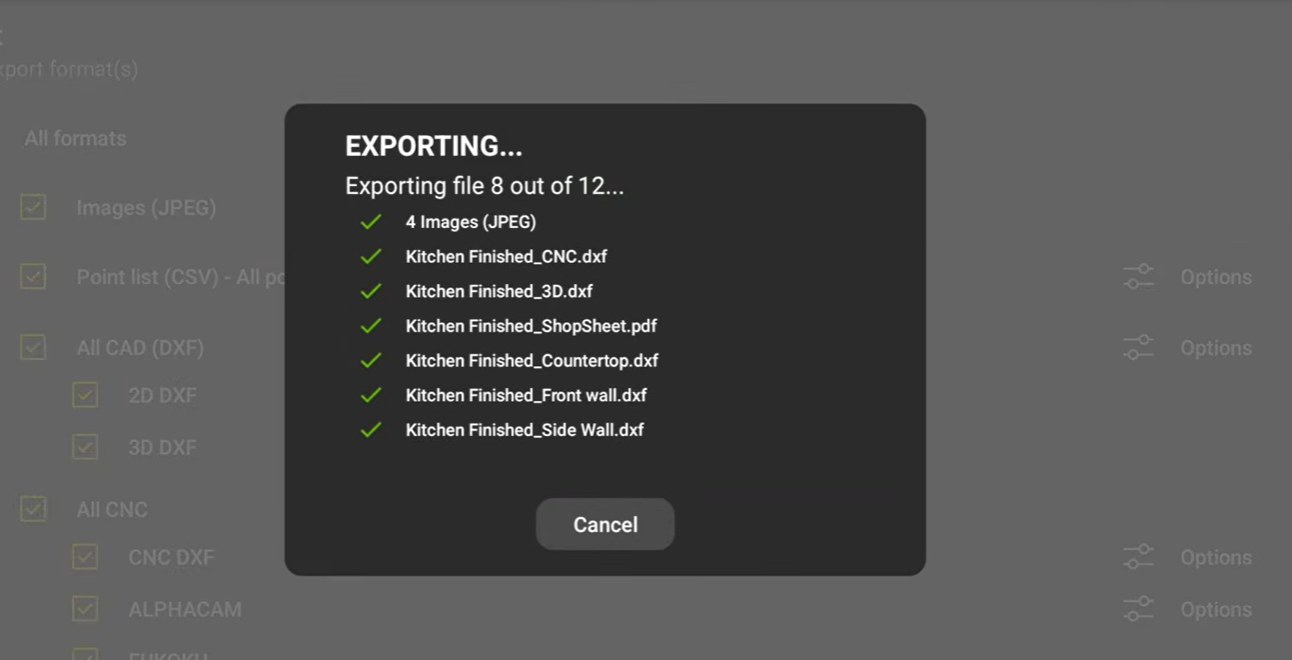
1. Tap Export
DXFs, CNC, ALPHACAM, Shop Sheet and photos export in one pass
2. Every format at once
Every file on the job, ready for programming
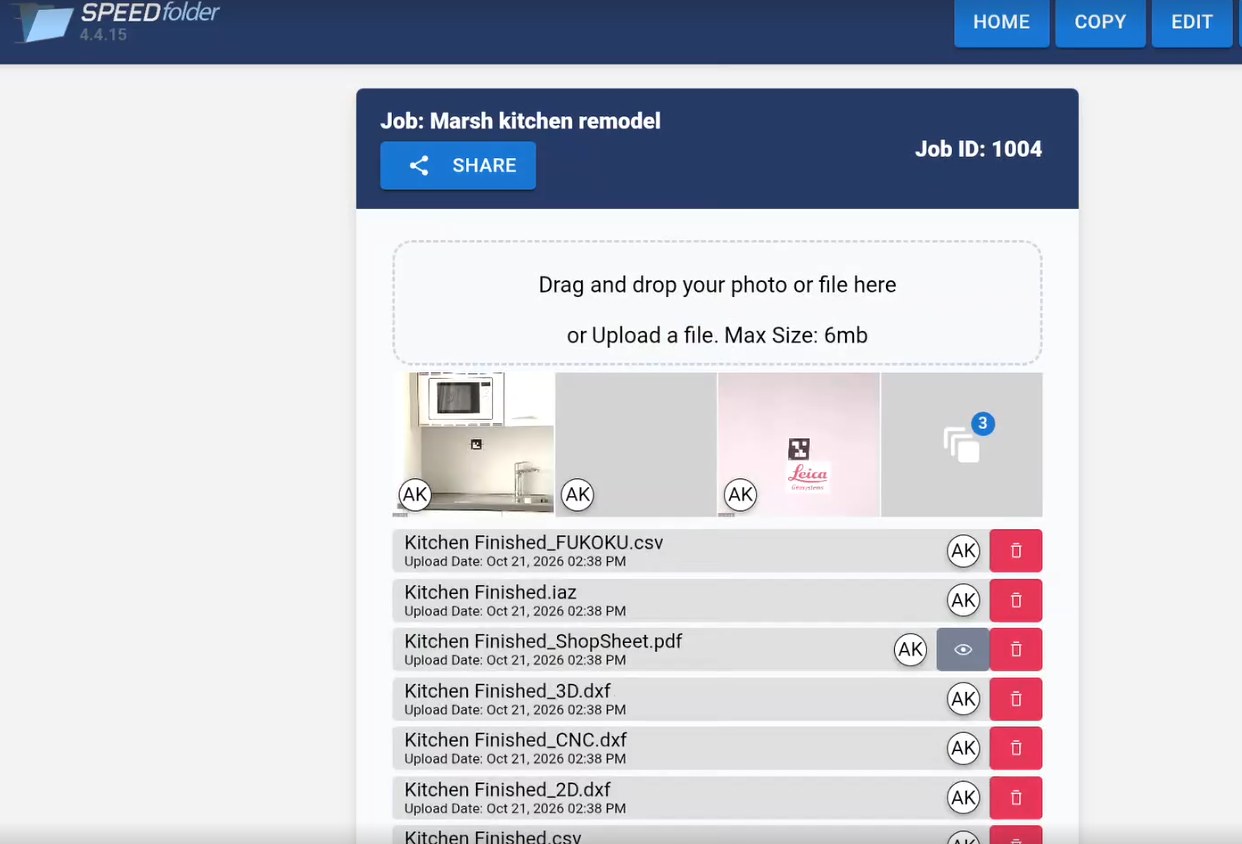
3. On the job in SPEEDfolder
SPEEDfolder: photos
Photos

Every photo, on the right job, with a tag.

  • Tags for Estimate, Measure, Install, Before, After, Issue, Invoice, Repair and your own
  • Grouped by date, with initials showing who took each one
  • The office sees each photo in the feed as the crew takes it
  • Damage tagged Before, so nobody argues about it later
The job

The DXF, the drawings, the photos and the notes, in one place.

  • Upload straight from iCON trades: every DXF, the Shop Sheet and the photos, on the job in one tap
  • Spec sheets, PDFs and drawings dragged straight in
  • Customer info and custom fields on every job
  • Parts and job numbers the shop already uses
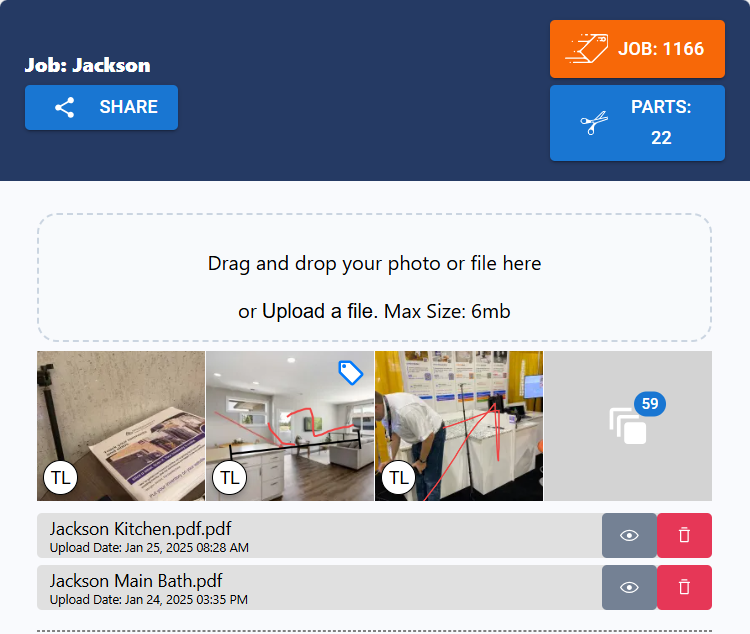
SPEEDfolder: the job
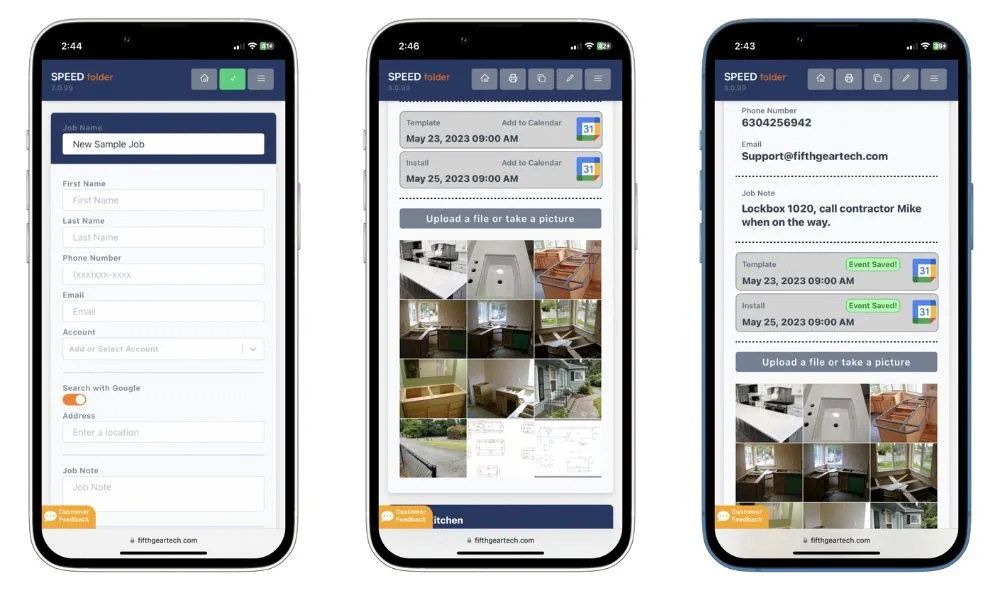
SPEEDfolder: the crew
The crew

A texted link. No app, no account, no password.

  • Text a job to the installer, the GC or the homeowner
  • It opens in any browser on any phone
  • The crew can add photos and files from the link
  • Apps for iPhone and Android for the people who live in it
The schedule

Every job in one list, on the calendar the office already uses.

  • Google Calendar, Outlook and Apple iCal integration
  • Measure, fabrication and install dates on the job
  • No charge per user. Add the whole company
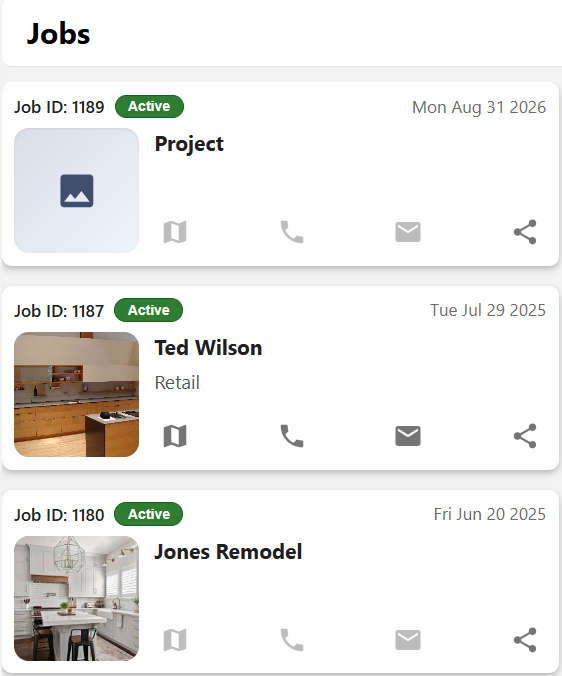
SPEEDfolder: the schedule

Measured on site. On the job before you leave.

Export from iCON trades, pick the job, and every file uploads to SPEEDfolder: the DXFs, the Shop Sheet, the PDF and the photos. No flash drives, no emailing files to yourself, no "which version is this?".

New: iCON trades + SPEEDfolder

From the tablet straight to the job.

The iCS50 exports straight into SPEEDfolder. Every file from the measure goes on the right job, in free cloud storage, while the measurer is still on site.
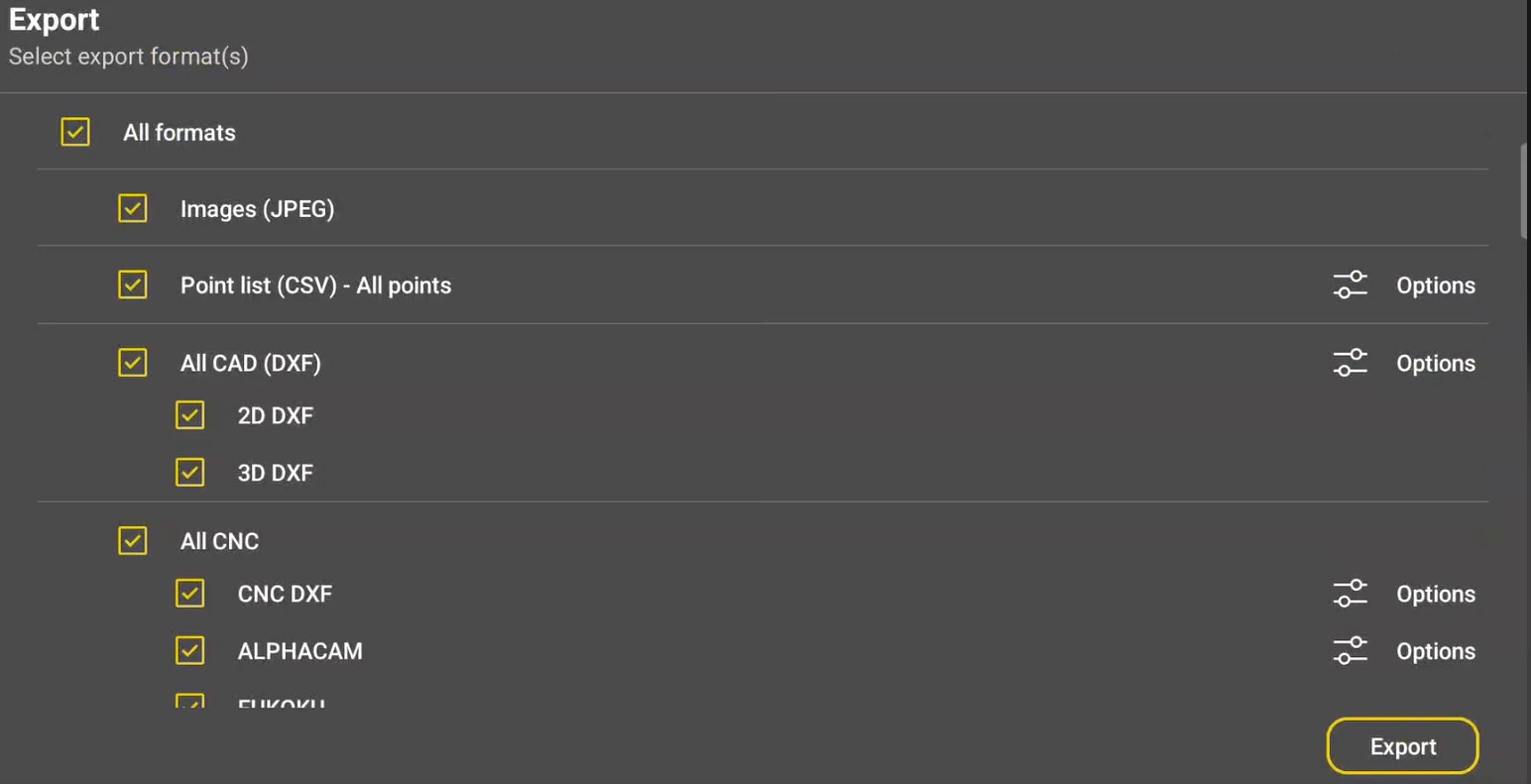
Export: In iCON trades, tick the files: PDF, Shop Sheet, CSV, 2D, 3D and CNC DXF, ALPHACAM and the photos.
01
Export

In iCON trades, tick the files: PDF, Shop Sheet, CSV, 2D, 3D and CNC DXF, ALPHACAM and the photos.
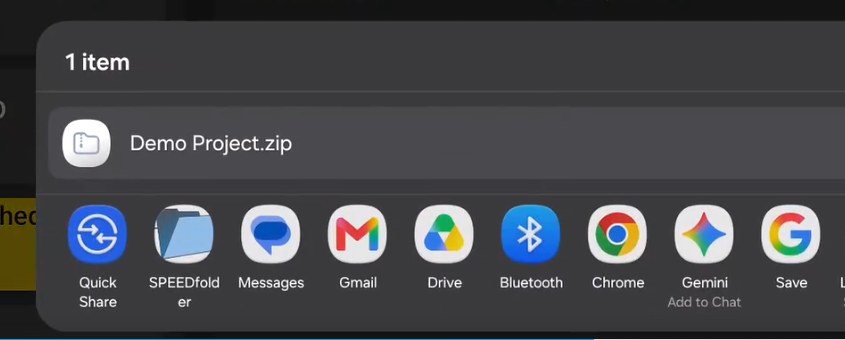
Share to SPEEDfolder: Tap Share when the export finishes and pick SPEEDfolder from the tablet's share menu.
02
Share to SPEEDfolder

Tap Share when the export finishes and pick SPEEDfolder from the tablet's share menu.

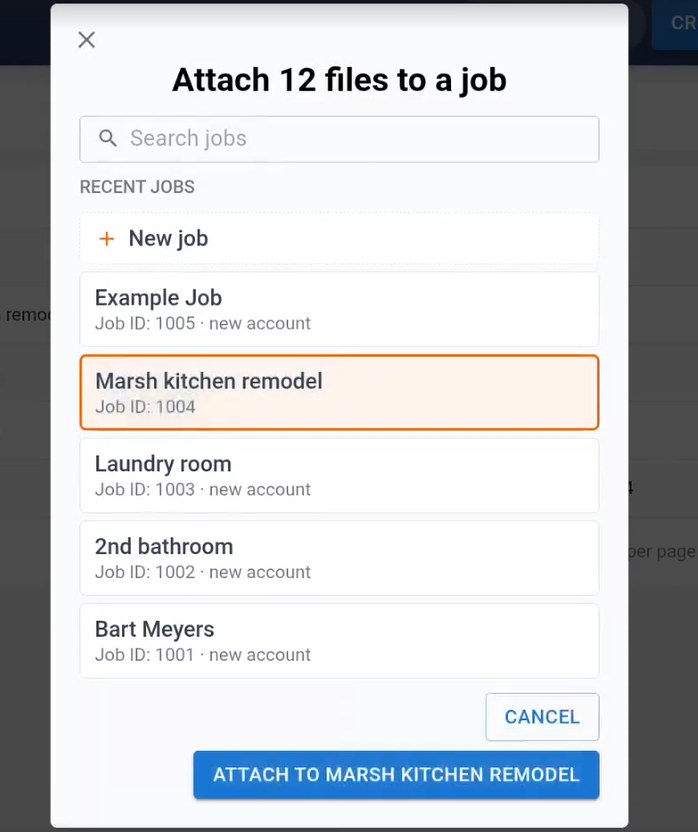
Pick the job: Search, pick a recent job or start a new one, and tap Attach. Every file uploads at once.
03
Pick the job

Search, pick a recent job or start a new one, and tap Attach. Every file uploads at once.

The office has it: The files are uploaded to the job, dated and initialed, in free cloud storage, before the measurer leaves the site.
04
The office has it

The files are uploaded to the job, dated and initialed, in free cloud storage, before the measurer leaves the site.

By industry

How each trade uses it.

Countertops
Countertops →
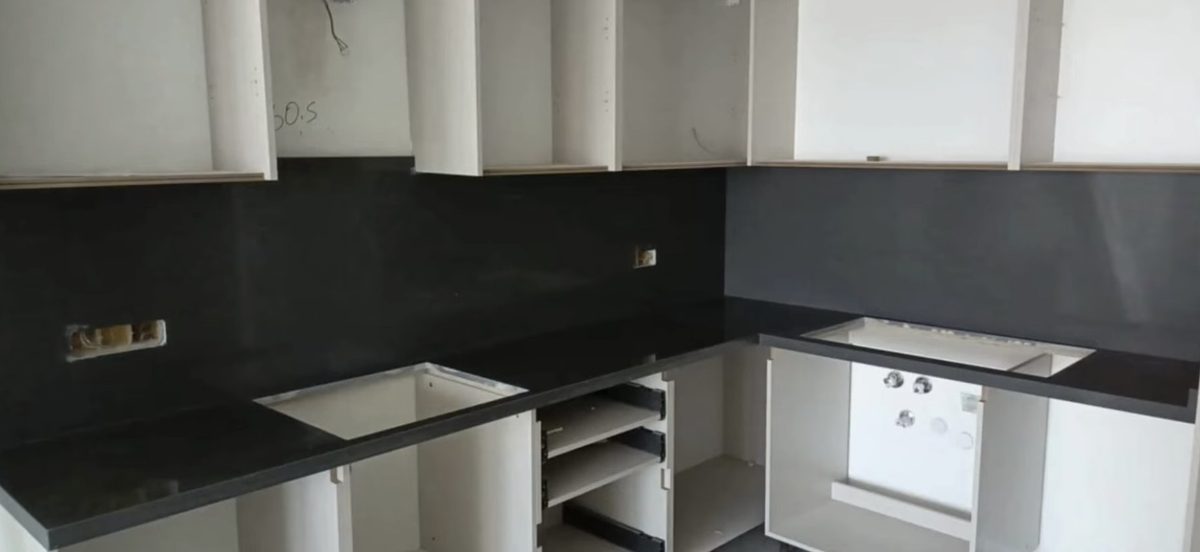
The DXF, sink and cooktop spec sheets and the customer's sign-off, ready for the shop.
Cabinets
Residential Cabinets →
Photos of every wall and the measured room, ready for the designer.
Millwork
Commercial Millwork →
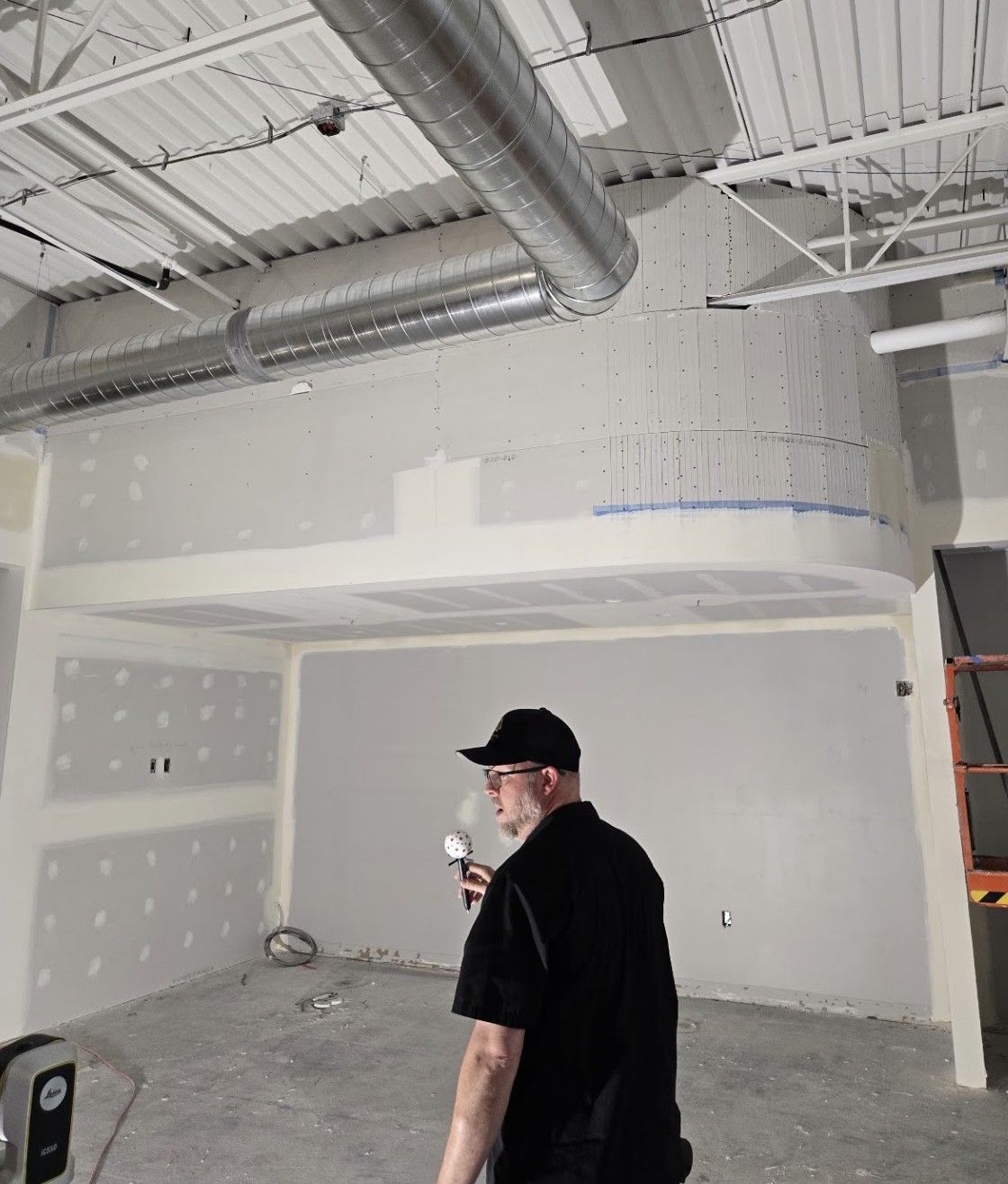
Photos by room and wall, the field verify record, and issues for the PM.
Glass
Glass and Metal →
Every stair and wall the glass meets, with hardware specs on the job.
Marine
Marine →
Every boat by make, model and length. Same hull? Start from the saved file.

SPEEDfolder runs the job, not the money.

Quotes, pricing and invoices stay in the shop's own accounting or estimating system. SPEEDfolder is where the work happens: files, photos, people and dates.
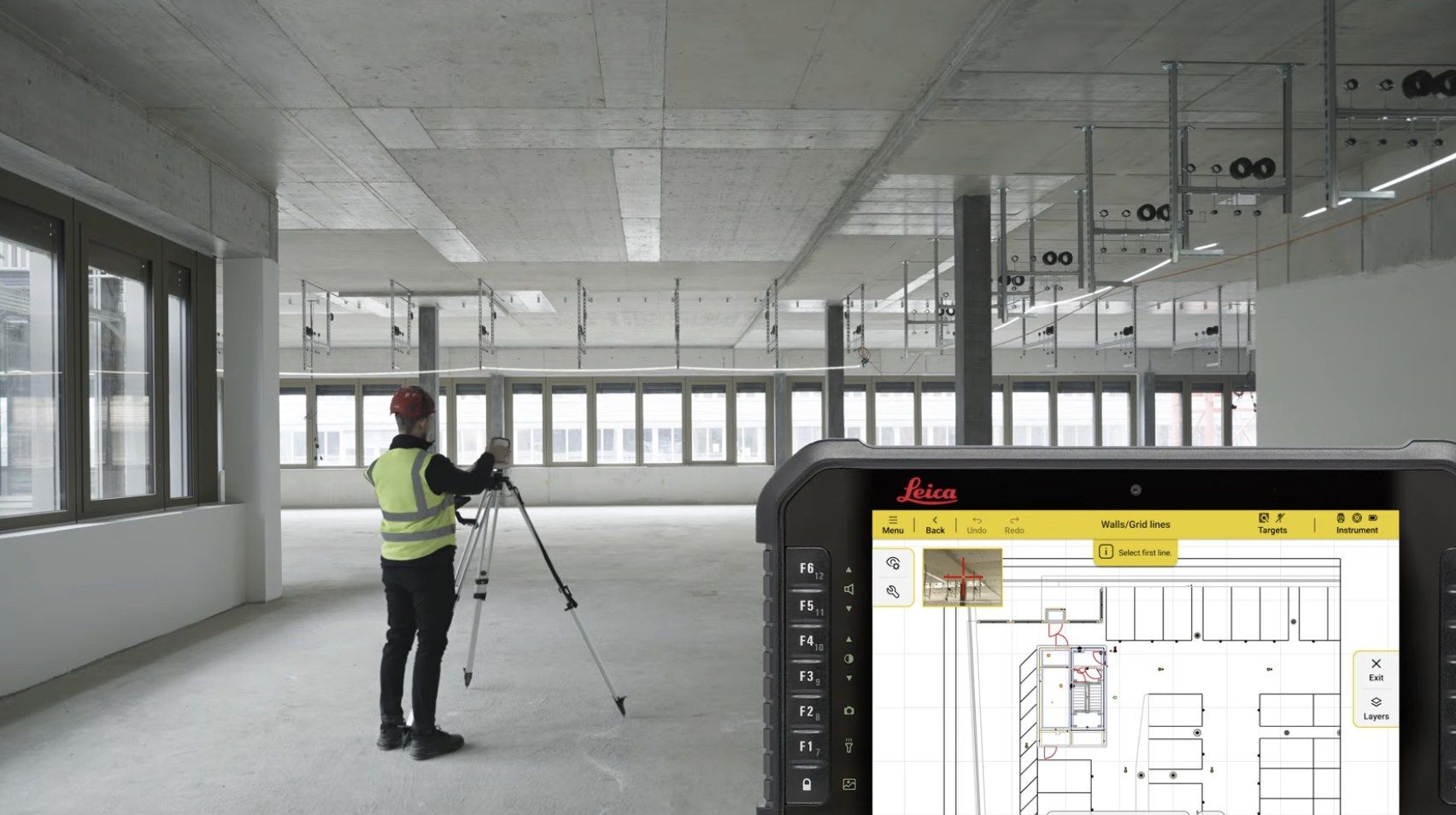
See the iCS50 and SPEEDfolder together.

A live Zoom demo with an iCS50 specialist. See the iCS50, iCON trades and SPEEDfolder in action, and ask anything about your shop.

Book a demoBack to the iCS50
Follow SPEEDtemplate
Talk to a person

Questions? Call us.

Sales, support or just a question about a job. A real person at SPEEDtemplate picks up.

919-676-2244
support@fifthgeartech.com Monday to Friday, 8:30 am to 5:30 pm Eastern
Call 919-676-2244Book a demo

Not ready for a demo?

Send a note and an iCS50 specialist will get back to you.